Limit 2 per memberADD TO LIST

Smart Summary
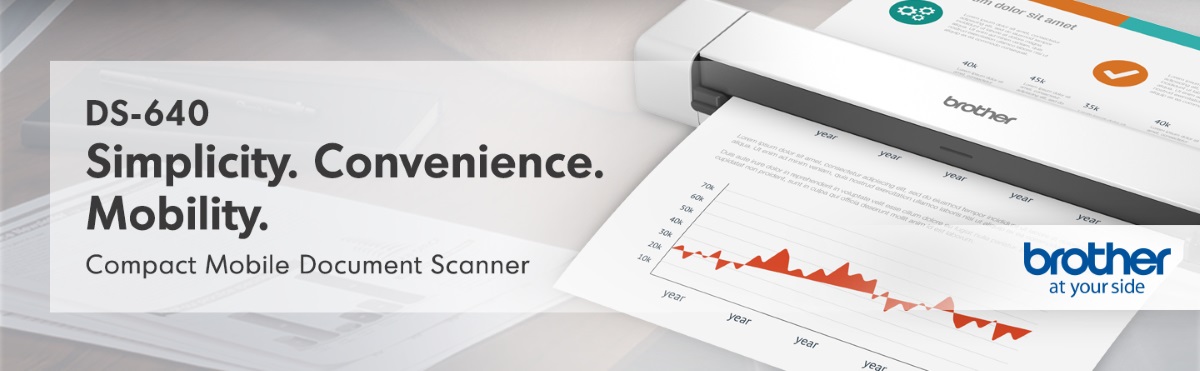
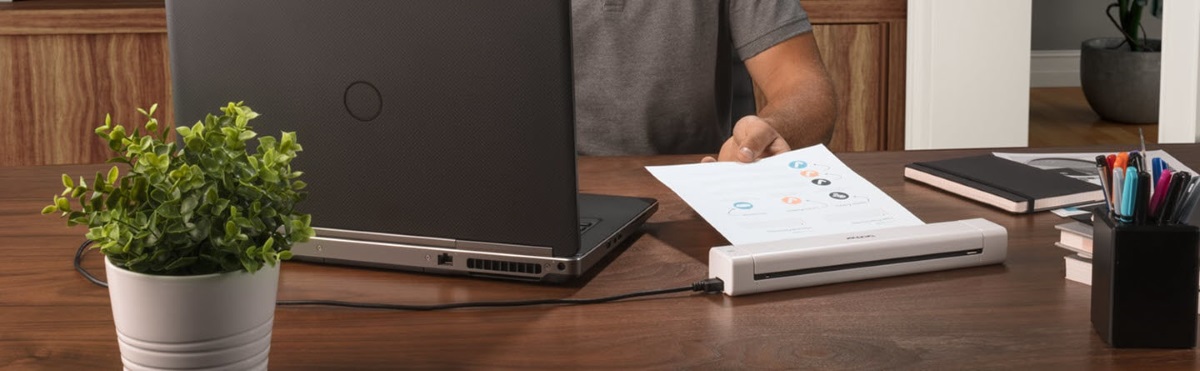
The scanner measures less than 12 inches in length and weighs approximately 1.5 pounds, making it highly portable for mobile professionals.
Fast Scanning
Scans both color and black-and-white documents at 16 pages per minute with identical speed for both modes.
Earn 5% back in rewards on most BJ’s purchases1.
Check if you’re pre-approved
with no risk to your
credit score.
Learn More
Product Highlights
| App Control | Yes |
|---|---|
| B&W Pages per Minute | 16 |
| Batteries Included | No |
| Batteries Required | No |
Product Overview

Disclaimers
- Color and monochrome scan speed, letter size paper at 300 dpi.
- When connected to a PC with applicable software. Drivers and bundled software available via download. Internet connection required. Refer to User Guide for more information.
- Requires connection to wireless network.
- Additional purchase required.
- Drivers and bundled software available via download on manufacturer’s website. Internet connection required. Refer to User Guide for more information.
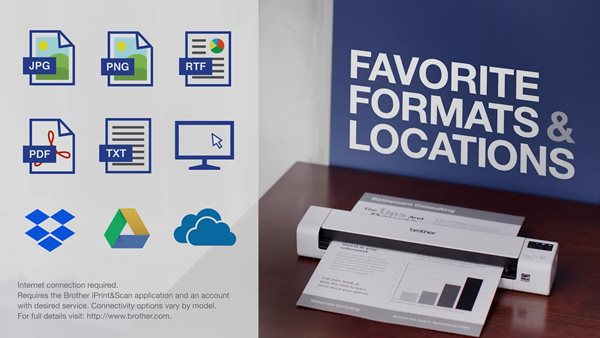
- Requires internet connection and account with desired cloud service.
Product Features:
(Model DS640)
 Product information is provided by the supplier and BJ’s does not represent or warrant the information is accurate or complete. Always consult the product’s labels, warnings, and instructions before use. Please see additional terms atbjs.com/termsofuse
| App Control | Yes |
|---|---|
| B&W Pages per Minute | 16 |
| Batteries Included | No |
| Batteries Required | No |
| Bluetooth-Enabled | No |
| Color Pages Per Minute | 16 |
| Condition | New |
| Copying | No |
| Digital Display | No |
| Double-Sided Printing | No |
| Faxing | No |
| Ink Included | No |
| Ink Subscription Available | No |
| Memory Card Slot | No |
| Model Number | DS640 |
| Photo Printing | No |
| Product Type | Scanners |
| Programmable | No |
| Scanning | Yes |
| Software Included | Yes |
| Subscription Required | No |
| System Compatibility | Windows |
| System Requirements | Micro USB 3.0 connection to laptop or PC |
| Touchscreen | No |
| Voice Control | No |
| Wheeled | No |
| WiFi-Enabled | No |
| Wireless Connectivity | No |
| Estimated Delivery | 3-5 Business Days |
| GSC | 2040008 |
| upc | 12502657477 |
| Printer Function | Scanning |
| Includes | Document Scanner |
| Item Dimensions | 14.8"L x 14.8"W x 3"H |
| Item Weight | 1.85 lbs. |
Most Liked Positive Review
Mobile Scanner
I received this product for free from Brother in exchange for my honest opinion/review of the product. I was looking for a mobile scanner. I usually use my phone or work fax/printer for scanning purposes. Overall, I liked this product. Pros:Compact- It was small, relatively speaking. It`s about the ...
Most Liked Negative Review
NOT THE SAME AS THE DS620!!!!! Horrible
I used the DS-620 for years and loved it. THEN they decided not to support it for Windows 11 so I bought the DS640. Horrible. I spent 3 weeks straight with tech support. I shouldn't have to edit EVERY PICTURE. I didn't have to do that with the 620. Don't buy it!!!!!! I bought a Plustek z300 an...
Customers say
Overall sentiment is mostly positive, with many reviewers praising easy setup, compact portability, and solid scan quality/speed. However, a recurring set of complaints—especially connectivity issues, paper jams, and frustrating/inconvenient software (including Windows 11 driver/support problems and workflow management)—can significantly undermine the experience for some users.
Reviewed by 85 customers
Doesn't support on win 11
Verified Reviewer
Reviewed at

Doesn't work for win11. Call the customer service but
Good hardware, inconvenient software
Verified Reviewer
Reviewed at
The scanner is quite good, but the software is very inconvenient. 1) Each workflow takes a square inch of the screen. I have more than 20 so it is hard to find the one I want. The list SHOULD be customizable like Windows Explorer - small icons, big icons, list with details, sortable by date, name, or number of images in the folder. 2) The workflows aren't displayed in any order. 3) I accidentally set several of them to trigger when I click the icon. I'd like to turn that on and off. 4) 19 of my workflows put pictures into subfolders of the same master folder. I put them in the wrong place and have to move the master folder. It seems that I have to delete them all and create them all from scratch again. BAD BAD BAD! 5) I don't know how to delete workflows. Will I end up with 40, 20 obsolete ones and 20 updated ones? 6) If I get a jam and clear it before telling the workflow to start again, the software hasn't noticed that the jam has been cleared. I have to hit OK and trigger the workflow again. 7) When creating workflows, browsing for the right folder should start near the most recent folder I used instead of forcing me to select a drive and then drill down to where I have created a new subfolder. 8) When creating workflows, the default document format should be whatever I last chose. 9) When creating folders, the default workflow name should be the name of the chosen folder.
Very EASY to use very much worth the investment
Verified Reviewer
Reviewed at
Got tired of scanning documents with my phone went looking for a not too expensive scanner That's easy to use and I Highly recommend Brothers DS-640 no Regrets
Efficient little scanner
Verified Reviewer
Reviewed at
I bought this scanner to scan receipts so I can track purchases for a senior center that I volunteer at. It was easy to set up and use. Best part it wasn't overly expensive. Works really well.
Stopped working although connected
Verified Reviewer
Reviewed at
Never actually got to use it cuz it stopped working
Good Product
Verified Reviewer
Reviewed at
I like the way this one operates compared to another one. I had that only worked for a short time.
DS-640 portable scanner
Verified Reviewer
Reviewed at
The scan resolution is very good and I like the portability of the unit. The software could have more features, but the scanner itself is worth it.
The portable and compact of this copier is nice.
Verified Reviewer
Reviewed at
Very compact, and easy to carry around with you, Nice clear scans, Works for me.
Effective minimalist product style.
Verified Reviewer
Reviewed at
It is an easy set-up, installation and works as expected.
Mobile scanner
Verified Reviewer
Reviewed at
I love this scanner. This is the best thing I have bought

Brother DS-640 Compact Mobile Document Scanner