




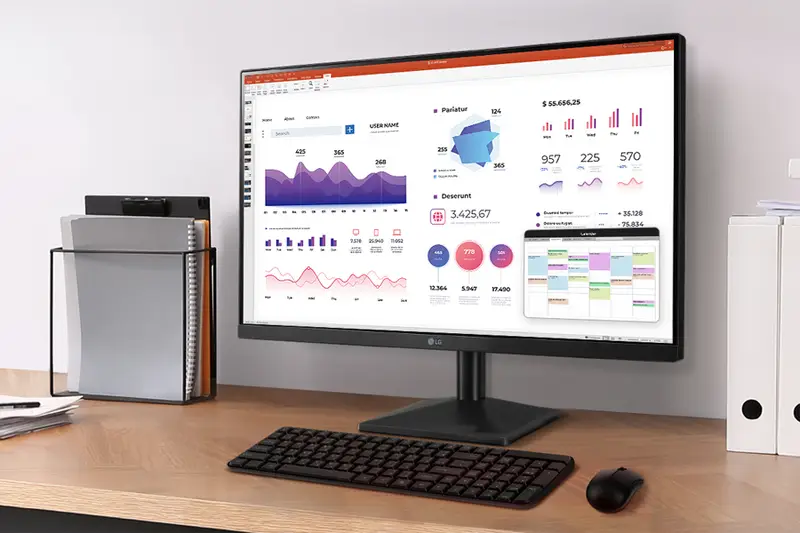
See the quick response of an IPS Display. At 1920x1080 resolution, LG's FHD IPS Display features vibrant color and clarity at wide angles. Work through your projects with ease and efficiency.
Top Rated

 Limit 3 per memberADD TO LIST
What we offer
BJ's Protection Plan
3 Years- $29.99
What's Covered
Earn 5% back in rewards on most BJ’s purchases1.
Check if you’re pre-approved
with no risk to your
credit score.
Learn More
Product Highlights
| Model Number | 27MR400-B.AUSQ |
|---|---|
| Estimated Delivery | 3-5 Business Days |
| upc | 195174067352 |
| Assembled Dimensions | 24 1"L x 18.0"W x 7.9"H |
Product Overview
Details
Upgrade your viewing experience with this sleek LG 27" Full HD (1920 x 1080) IPS display, delivering vibrant colors and wide viewing angles for everything from productivity to entertainment. With a 100Hz refresh rate and AMD FreeSync technology, enjoy fluid, tear-free visuals whether you're gaming, streaming, or multitasking. Easily customize your setup with OnScreen Control and benefit from seamless transitions with Auto Input Switch. The 3-sided, virtually borderless design provides a modern, minimalist look while maximizing your screen space—ideal for multi-monitor setups or a clutter-free workspace.
Product Features:
LG 27" FHD 100Hz IPS monitor
100Hz refresh rate and AMD FreeSync
Dynamic action sync and black stabilizer
Reader mode and flicker safe
Onscreen control and auto input switch
3-side virtually borderless design
Includes monitor, stand


 Product information is provided by the supplier and BJ’s does not represent or warrant the information is accurate or complete. Always consult the product’s labels, warnings, and instructions before use. Please see additional terms atbjs.com/termsofuse
Product Features:
27MR400-B
27 Inch FHD 3-Side Borderless IPS 100Hz Monitor with FreeSync™
- 27" FHD (1920 x 1080) IPS Display
- 100Hz Refresh Rate & AMD FreeSync™
- Dynamic Action Sync & Black Stabilizer
- Reader Mode & Flicker Safe
- OnScreen Control & Auto Input Switch
- 3-Side Virtually Borderless Display
Features and Specs
- Display
- Performance
- Design
- ALL SPECS
Vivid Color with IPS and FHD Resolution
Easy Viewing, Comfortable Reading
Watch your monitor for longer periods of time. Reader Mode provides optimal conditions for reading by reducing blue light.
Easier User Interface
You can customize the workspace by splitting the display or adjusting basic monitor options with just a few mouse clicks.1
1OnScreen Control software installation required. Visit Support on LG.com to download.
This content uses cookies to improve your experience. By continuing, you agree to this use. Learn More at https://www.flixmedia.com/privacy-notice
Product information is provided by the supplier and BJ’s does not represent or warrant the information is accurate or complete. Always consult the product’s labels, warnings, and instructions before use. Please see additional terms atbjs.com/termsofuseSpecifications
Shipping & Returns
Q&A
Reviews (885)
4.5 out of 5

LG 27" FHD 100Hz Monitor with FreeSync
$119.99

